Next3 Offload v4.3.8 Plugin
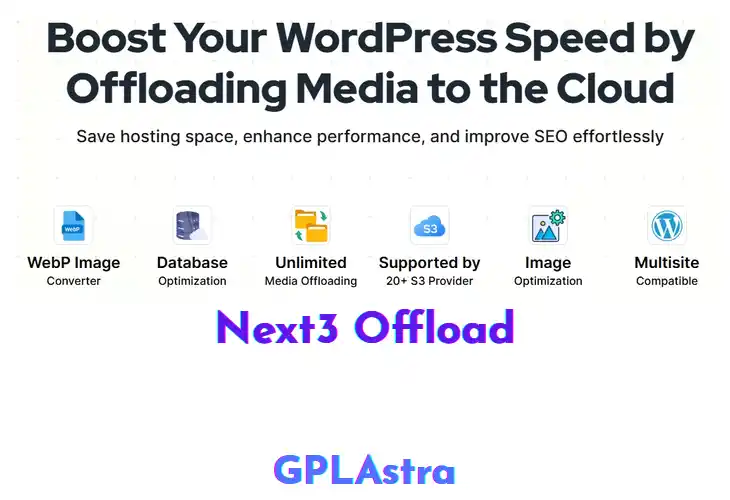
Next3 Offload moves your media library to cloud storage, letting site owners, developers, and agencies reclaim precious disk space. It automatically copies every image, PDF, video, and other asset to a chosen bucket, then rewrites URLs so the front‑end pulls files from the cloud. Because the original files stay off the local server, PHP and database queries run faster, which translates into noticeably quicker page loads for visitors.
After installing the plugin, head to Settings → Next3 Offload to select your cloud provider—Amazon S3, Google Cloud Storage, or any S3‑compatible endpoint. Enter the access keys, set a bucket, and decide whether to keep a local copy as a fallback. The plugin scans the media library, creates cloud copies, and updates each attachment’s URL on the fly. It also supports CDN integration, so cached assets are served from the nearest edge node. If the workflow sounds useful, grab the plugin from the repository and give it a spin.
| Name | Next3 Offload |
| Type | Plugin |
| Version | 4.3.8 |
| License | GPL v2 |
| Live Demo | View Official Page |
| Last Updated |
Core Features of Next3 Offload Plugin
- Cloud Storage Integration: Connects directly to S3‑compatible services, letting you store media off the local server for unlimited scalability.
- Automatic Media Cloning: Every new upload is instantly duplicated to the cloud, ensuring a backup without extra steps.
- URL Rewrite Engine: Rewrites attachment URLs on the fly so visitors retrieve files from the remote location without broken links.
- Selective Folder Offload: Choose specific media folders to offload, preserving critical assets locally while moving bulk files.
- CDN Compatibility: Works seamlessly with popular CDNs, delivering cached assets from edge nodes for faster load times.
- Local Fallback Option: Keeps a copy on the server as a safety net, automatically switching back if the remote source fails.
- Bulk Migration Tool: One‑click migration scans existing media and transfers all items to the configured cloud bucket.
- Scheduler for Sync: Set daily or weekly sync intervals to keep remote and local libraries in harmony.
- Bandwidth Savings Dashboard: Shows how much data transfer is saved by serving files from the cloud versus the server.
- Multi‑Provider Support: Works with Amazon S3, Google Cloud Storage, DigitalOcean Spaces, and other compatible endpoints.
- Secure Credential Storage: Encrypts API keys in the WordPress options table, protecting access details from exposure.
- Compatibility with Popular Themes: Tested with major themes to ensure offloaded media displays correctly across layouts.
- WP‑CLI Offload Commands: Manage offload operations from the command line, ideal for automation scripts and developers.
What’s New (Changelog) in Next3 Offload v4.3.8
Changelog Not Found!
Free Download Next3 Offload Latest Version
Premium Member Access
Skip the wait — get instant access to all files
Unlimited Downloads
No Wait Timer
Direct Download Links
Access to Private Content