Gravity Forms v2.10.0 WP Plugin
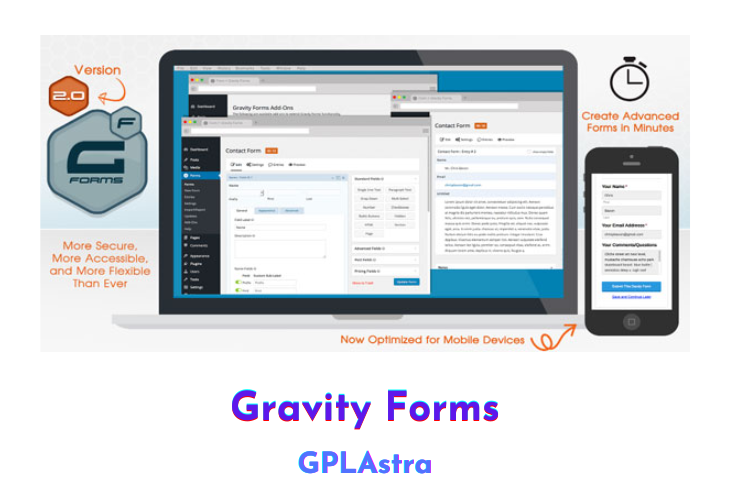
Gravity Forms is a powerful and user-friendly WordPress plugin for building advanced forms. With its easy-to-use interface, you can create and publish your WordPress forms in just minutes. The plugin offers a wide range of fields to choose from and various options to configure, making form-building quick and effortless.
Gravity Forms also integrates well with third-party services such as PayPal and offers a collection of optional add-ons for even deeper integration with WordPress. This makes it a versatile tool for businesses and individuals who require advanced forms for their websites.
In addition, Gravity Forms is highly rated by its users, with many calling it the best contact form plugin for WordPress-powered websites. Overall, Gravity Forms is a robust and feature-rich tool that makes it easy for you to create advanced forms for your WordPress website.
| Name | Gravity Forms |
| Type | WP Plugin |
| Version | 2.10.0 |
| License | GPL v2 |
| Live Demo | View Official Page |
| Last Updated |
Core Features of Gravity Forms WP Plugin
- Easy form building with a user-friendly interface
- Ability to create advanced forms in minutes
- Built-in tools for easy embedding of forms on WordPress sites
- Integration with popular web applications and online services
- Ability to integrate with PayPal
- Additional integration options through Gravity Forms Add-Ons
- Improved integration with WordPress
- High user satisfaction and positive user feedback.
What’s New (Changelog) in Gravity Forms v2.10.0
v2.10.0 | 2026-04-16
- Note: Under the new [versioning system](https://docs.gravityforms.com/version-numbering/) this is a minor release.
- Added Agency Project Inquiry Form and School Enrollment Form templates to the templates library.
- Added edit action links to the Entries list table.
- Added logging when personal data is exported or deleted and when uploaded files are deleted.
- Added support for configuring custom confirmations to be used for spam submissions.
- Added support for toggling the Multiple Files setting on File Upload fields (only those added to forms from this point onwards) even when the field has entry values.
- Added the Background Notifications setting to the Forms > Settings page. Enabled by default for new installs, it sends notifications via a separate request, improving form submission performance, so the confirmation can be displayed before sending is completed.
- Fixed an issue where the default data is shown instead of the saved data when you edit an existing API key.
- Fixed an issue with the Simple Contact form template that could result in column layout problems.
- Fixed a JavaScript error that occurs when a form has pricing fields and is using page conditional logic.
- Fixed a bug that prevents the About page from loading correctly when the site's language is not English.
- Fixed an incorrect calculation result when the formula includes the merge tag for a choice-based pricing field and the selected choice has a price of zero.
- Fixed deprecation notices on the entry list page and feed settings page with PHP 8.5+.
- Fixed the accessibility of add-on icons on settings pages.
- Updated save and continue and resending entry notifications to support background notifications.
- API: Added `GFAPI::send_notification()` for sending a given notification (supports background notifications).
- API: Set the `storageType` property of new File Upload fields and existing fields with Multiple Files enabled to `json`, so both the single and multi-file uploaders store their values in the same way.
- API: Updated the new AJAX submission process to allow the submission result to be modified before markup is reloaded via the new [gform/ajax/post_submission_request](https://docs.gravityforms.com/gform-ajax-post_submission_request/) filter.
Does this need to be updated over time? Or will it automatically update ? I’d like to donate too awesome service!!
You’ll have to update it manually.
PLease Can you add GP FIle Upload Pro
and also gravity pdf pdf templates
I am installed gravity form plugin. the plugin has been installed. but when opend it. it asked Enter your license key below to enable Gravity Forms..
what we do..?
It any random words as license key!!