FleekDash v2.2.9 Plugin
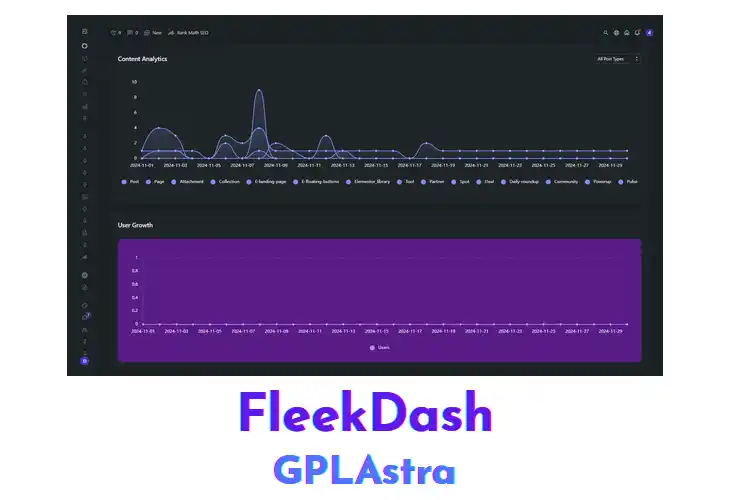
FleekDash reorganizes the WordPress admin area into a compact, high‑performance interface. Site administrators, developers, and agencies that manage multiple installations benefit from reduced visual clutter and quicker navigation. The plugin replaces default widgets with customizable panels, consolidates updates, and provides instant access to content, comments, and analytics. By integrating directly with the core WordPress ecosystem, it ensures that any theme or third‑party plugin continues to function while delivering a faster, more focused workspace.
In a multi‑author newsroom, editors can monitor pending posts, recent comments, and SEO alerts from a single panel, keeping the publishing cycle moving without switching screens. E‑commerce managers view order summaries alongside inventory updates, while developers test new themes on staging sites and still see the streamlined layout. FleekDash adapts to varied PHP configurations and respects custom admin menus, allowing it to coexist with security plugins, page‑builders, and multilingual tools without interference.
| Name | FleekDash |
| Type | Plugin |
| Version | 2.2.9 |
| License | GPL v2 |
| Live Demo | View Official Page |
| Last Updated |
Core Features of FleekDash Plugin
- Customizable Dashboard Panels: Users can add, remove, or rearrange panels to match their workflow.
- Consolidated Updates Overview: All core, theme, and plugin updates appear in a single list for quick review.
- Quick Access Shortcuts: Frequently used admin pages are reachable with a single click from the dashboard.
- Real‑Time Comment Feed: New comments display instantly, enabling rapid moderation.
- Integrated Analytics Widget: Site traffic statistics are shown directly within the admin screen.
- Theme Compatibility Layer: The plugin adjusts its layout to work with any active theme.
- Plugin Conflict Detector: Detects and reports incompatibilities with other installed plugins.
- Lightweight Asset Loading: Only essential scripts and styles are loaded to keep the dashboard fast.
- Responsive Admin Layout: Dashboard elements resize automatically for tablets and smartphones.
- Multi‑Site Support: Provides a consistent interface across network‑wide WordPress installations.
- Role‑Based Panel Visibility: Administrators can restrict panels to specific user roles.
- Activity Log Summary: Shows recent admin actions in a concise overview.
- Searchable Admin Menu: Administrators can locate settings pages by typing keywords.
- Dark Mode Option: Offers a low‑light color scheme for the dashboard.
- Performance Metrics Display: Displays server response time and memory usage within the admin area.
What’s New (Changelog) in FleekDash v2.2.9
Changelog Not Found!
Free Download FleekDash Latest Version
Premium Member Access
Skip the wait — get instant access to all files
Unlimited Downloads
No Wait Timer
Direct Download Links
Access to Private Content