Divi Theme v5.0.1 + Premade Layouts Theme
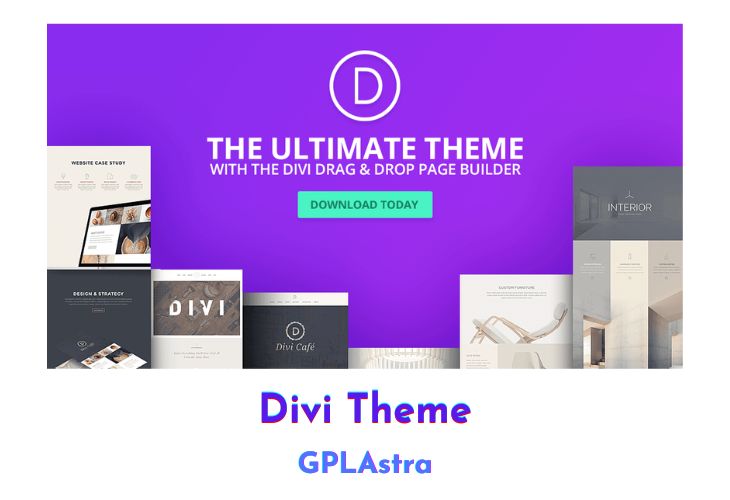
If you’re looking for a powerful and intuitive WordPress theme and visual page builder, look no further than Divi by Elegant Themes! With its lightning-fast front-end editor, you’ll be able to create beautiful websites in record time. And with real-time design changes, you can see your website come to life right before your eyes!
Divi’s 46 different content elements make it easy to mix and match various types of content, allowing you to build just about anything you can imagine. Plus, with customizable fonts, colours, sizing, and spacing, you can easily make your website look precisely how you want it to. And thanks to Divi’s impressive loading times, you won’t have to worry about any frustrating page refreshes or delays.
But that’s not all! Divi also offers live responsive previews, letting you see how your website will look on different devices and make custom changes to specific mobile breakpoints. And with global elements syncing, you can update items like footers across multiple pages with ease. Plus, import and export options let you save layouts to your library for later use, and share and download layouts from the web. And if you’re new to the world of website building, Divi even comes with over 20 premade layouts to get you started!
| Name | Divi Theme |
| Type | Theme |
| Version | 5.0.1 + Premade Layouts |
| File Name | Divi |
| File Type | zip (Installable Archive) |
| File Host | mediafire.com | Mirror |
| Updated On: | 2 weeks ago |
Core Features of Divi Theme Theme
- Front-end Editor: Divi’s front-end editor is incredibly fast and intuitive, offering real-time design changes as you make them.
- Customizable Elements: You can customize every element of your website with Divi, including fonts, colours, sizing, and spacing. You can even add custom CSS for more advanced customization.
- Responsive Editing: With live responsive previews, you can see exactly how your website will look on different devices and make custom changes to specific mobile breakpoints.
- Global Elements Syncing: Divi’s global elements feature allows you to sync items like footers across multiple pages, making it easy to update them once and have them updated everywhere.
- Import/Export Options: You can save layouts to your library for later use, and share and download layouts from the web. This makes it easy to import and export your designs across multiple websites.
- Pre-made Layouts: Divi comes with over 20 pre-made layouts right out of the box, providing a great starting point for new projects and helping users learn the ins and outs of the Divi Builder.
- Content Elements: Divi offers 46 different content elements that you can mix and match to build just about anything you can imagine.
- Little To No Loading: Divi’s builder is insanely fast, requiring no page refreshes and almost zero loading of any kind, making for a seamless and efficient website-building experience.
What’s New (Changelog) in Divi Theme v5.0.1 + Premade Layouts
version 5.0.1 ( updated 02-26-2026 )
- Finalized beta phase removal and bumped version for PHP version compare.
version 5.0.0 ( updated 02-26-2026 )
- Fixed global number variables not applying to VB button font size.
- Fixed a Preset Manager group-context mismatch that could prevent renaming Heading Text options-group presets.
- Fixed an issue where third-party modules failed to render correctly during Divi Library and Visual Builder Portability imports.
- Fixed loop featured images staying in wrong positions when posts are reordered by changing publish dates.
- Fixed an issue where third-party D4 modules rendered in D5 backward compatibility mode displayed reduced bottom spacing due to the last-of-type CSS rule incorrectly removing paragraph padding when only one paragraph existed.
- Fixed featured pricing table vertical alignment to match non-featured tables in D5 after migration from D4.
- Fixed Post Slider and Fullwidth Post Slider arrows and controls ignoring the Elements visibility settings on the frontend.
- Fixed an issue where inline text editor style changes (bold, italic, color, etc.) were not saved when clicking the save button without first clicking outside the editor.
- Fixed Font Awesome icons not rendering on the frontend when used in the Link module.
- Fixed an issue where importing a layout with multiple canvases into a new off-canvas page resulted in an empty canvas instead of the imported content.
- Fixed global font variables in presets not rendering correctly on the frontend due to CSS variable being quoted as a literal string.
- Fixed Transform Scale dragging after unit switching by handling empty transitional values safely.
- Fixed excessive preset merge cloning that caused long tasks during module editing.
- Fixed history label showing incorrect module name when pasting modules, now correctly displays the copied module type instead of the target module type.
- Fixed header positioning in Visual Builder responsive preview mode when Global Footer is present, preventing header from overlapping page content.
- Fixed a fatal PHP error that occurred when third-party plugins processed requests through virtual page endpoints on Divi-built pages.
- Fixed row settings in VB incorrectly added white background colors to columns in regular sections.
- Fixed custom masks and patterns from third-party filters disappearing from the Visual Builder canvas after page reload.
- Fixed video playback continuing in the background after closing off-canvas popups containing video modules.
- Fixed SVG logo sizing in Menu module appearing smaller than Divi 4 after migration when Logo Width and Logo Max Height were set.
- Fixed Woo Products module displaying 3 columns instead of 4 on the front-end when using default column layout in Theme Builder templates.
- Fixed migration of D4 Blog fullwidth layout so images and spacing match Divi 4 after importing layouts (e.g., Divi Pixel Bistro).
- Fixed Text Module paragraphs displaying incorrect font weight when body font weight is customized in Theme Customizer.
- Fixed Heading Module padding-bottom discrepancy between Divi 4 and Divi 5 by removing incorrect CSS reset that was overriding global heading styles, restoring the expected 10px padding-bottom spacing.
- Fixed Person Module margin-bottom spacing to match Divi 4 behavior (12px instead of 20px).
- Fixed Post Slider module margin-bottom being overridden by gutter rules in D5, restoring D4 spacing behavior where custom margin values properly override default column gutters.
- Fixed Post Slider Module height discrepancy between D4 and D5 by correcting class assignment logic and ensuring default printed style attributes are not stored during module conversion.
- Fixed Number Counter Module title padding to match Divi 4 behavior, restoring the 10px padding-bottom spacing that was incorrectly removed during D5 migration.
- Fixed Email Optin module form elements appearing top-aligned instead of vertically centered for horizontal layouts after D4 to D5 conversion.
- Fixed incorrect button icon spacing when customizer icon display is disabled but module-level icon is enabled.
- Fixed Contact Form module Block layout mode form element overflowing its parent container by removing unnecessary negative margin that was a legacy workaround for <p> tag default padding.
Sales Page and Live Demo of Divi Theme Theme
https://www.elegantthemes.com/gallery/divi/
Free Download Divi Theme Latest Version
Divi Builder Premade Layouts Free Download
You can download Divi Builder premade .JSON layouts and templates from the below links:
https://mega.nz/folder/l19SSYQL#U7vpCqNdaIlZ64wxfcWQ2g