Droip v2.5.7 Plugin
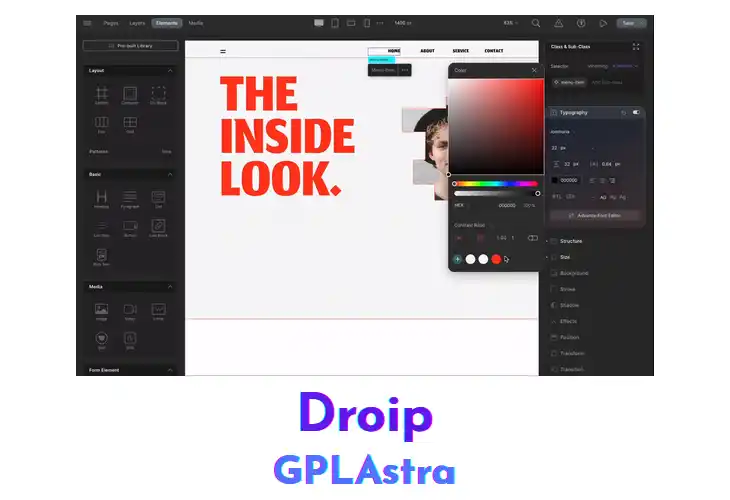
Droip provides a visual drag‑and‑drop editor that lets users construct pages directly within the WordPress dashboard. Designers, marketers, and small‑business owners can assemble layouts without touching code, while the plugin adds live element positioning and instant style adjustments. The interface supports column structures, image placement, and text blocks, delivering a complete site‑building capability that integrates with existing themes and third‑party plugins.
In typical site builds, Droip is placed after a theme activation to replace the default page editor. Users drag modules onto a canvas, resize sections, and link navigation menus, allowing rapid prototyping of landing pages or full‑site redesigns. The builder respects WordPress custom post types, works alongside popular page‑builder plugins, and adapts to responsive breakpoints, ensuring consistent output on desktop, tablet, and mobile devices.
| Name | Droip |
| Type | Plugin |
| Version | 2.5.7 |
| License | GPL v2 |
| Live Demo | View Official Page |
| Last Updated |
Core Features of Droip Plugin
- Visual Drag Interface: Allows users to move elements on a canvas without coding.
- Responsive Layout Controls: Adjust column widths and element visibility for different screen sizes.
- Prebuilt Template Library: Provides ready‑made page templates that can be inserted and customized.
- Inline Content Editing: Enables text and image changes directly on the page view.
- Custom CSS Integration: Accepts additional stylesheet rules applied to built pages.
- Widget Compatibility: Works with standard WordPress widgets placed inside drag‑and‑drop sections.
- SEO Metadata Fields: Adds title, description, and keyword inputs for each constructed page.
- Multi‑Page Navigation Builder: Creates linked menus and breadcrumb trails across site pages.
- Real‑time Preview Mode: Shows how changes appear on the front end while editing.
- Shortcode Embedding Support: Inserts shortcode blocks into layouts for external functionality.
- Theme Override Options: Allows overriding theme defaults with builder‑specific styling.
- Export/Import Settings: Transfers layout configurations between WordPress installations.
- Revision History Tracker: Stores previous versions of a page for rollback if needed.
What’s New (Changelog) in Droip v2.5.7
- Fix: Fixed dynamic page link not working in Symbol after template import
Free Download Droip Latest Version
Premium Member Access
Skip the wait — get instant access to all files
Unlimited Downloads
No Wait Timer
Direct Download Links
Access to Private Content